PLEASE DO NOT SHARE WITH CUSTOMERS!
These are the steps on how to do it for your staging -> live (this is just our current example).
Clone stage repository
Navigate to the newly cloned repo (where you have the git folder)
Set a remote branch up on your local repo
3.a This means that you now have 1 branch for staging and 1 live.git remote
3.b Do the following command in your local git repo:
3.c git remote add {your choice of name for the remote branch, I call mine live} {git url of live}
E.G. git remote add live https://scm.umbraco.io/euwest01/[your project].git
3.d git remote -v
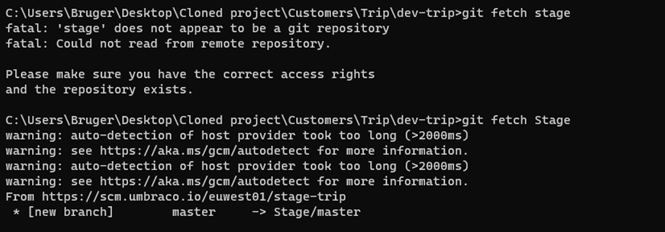
3.e git fetch live (live is what I called my remote branch)