A step by step guide on how to handle an incident correctly.
If the incident is discovered by Support, please make sure to fill out the Incident Workflow as soon as possible.
A step by step guide on how to handle an incident correctly.
If the incident is discovered by Support, please make sure to fill out the Incident Workflow as soon as possible.
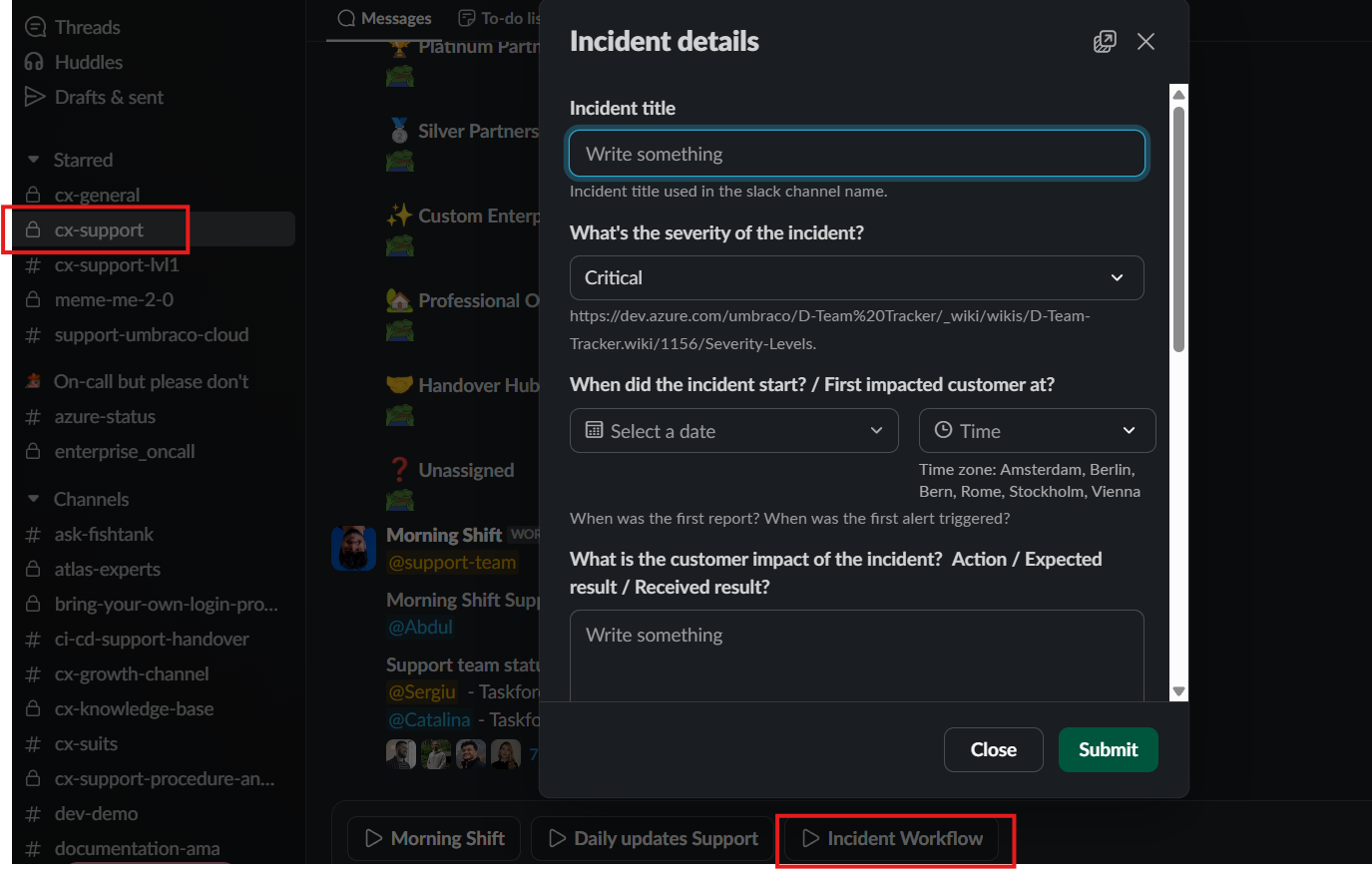
The last step of filling out the incident workflow is to call the On-Call team at +45 81 82 72 62. This step is very important as the
On-Call team must promptly create a status page update and assume the role of incident manager.
Initiate the creation of a tracker ticket for the incident in Intercom.
If Support uncovers the issue, generate the Tracker ticket using a title such as: "SWAT Cloud portal Deployment issue 24-07-2025."
If the Cloud team identifies the issue, utilize a title similar to: "incident-2024-03-21-cloud-deployments-fail-between-env."
This assumes familiarity with the incident Slack channel. Always involve or ask the Team Lead if the Slack channel is unknown.
Ensure to communicate and if necessary designate 1 or 2 Support members to thoroughly review all tickets and incorporate them into the Tracker ticket. You will act as the incident handler from Support for this incident moving forward until it is closed.
Once the incident has been resolved, please make sure to keep the team informed and if possible the "Reply All" feature in the Ttracker ticket to ensure all customers receive the same consistent message.
The support incident handler is responsible for this task, however take caution in case there are on going tickets where customers who have different issues but reported the incident issue as well (those maybe should be handled by the assigned supporter).
Once all the above are handled proceed by sending the following message in the Reply All function:
Service Announcement: The problem with https://status.umbraco.io/ has been successfully addressed. If you have additional issues unrelated to the previously mentioned issue, please proceed with the current ticket for further assistance.