Noisy Neighbour

Noisy neighbour identification

Application runs slow - might be a noisy neighbor

There are times customers reach out saying their site is performing poorly, is slow, and takes a long time to load things in the backoffice.

This usually can be a classic case of somebody using more resources than allowed on the shared app service plan (server), causing resource exhaustion on for the others.

You can see what each Umbraco Plan is allowed to use here:

https://docs.umbraco.com/umbraco-cloud/getting-started/umbraco-cloud-plans


Let’s imagine a customer reaches out and says, hey, this is my website dk-norddjurs-cowiplan, and it is running slow on live.


The first thing to do will be to go to the /support page of that website and navigate to the hosting dashboard: https://www.s1.umbraco.io/projectsupport/dk-norddjurs-cowiplan/hosting and access Azure.


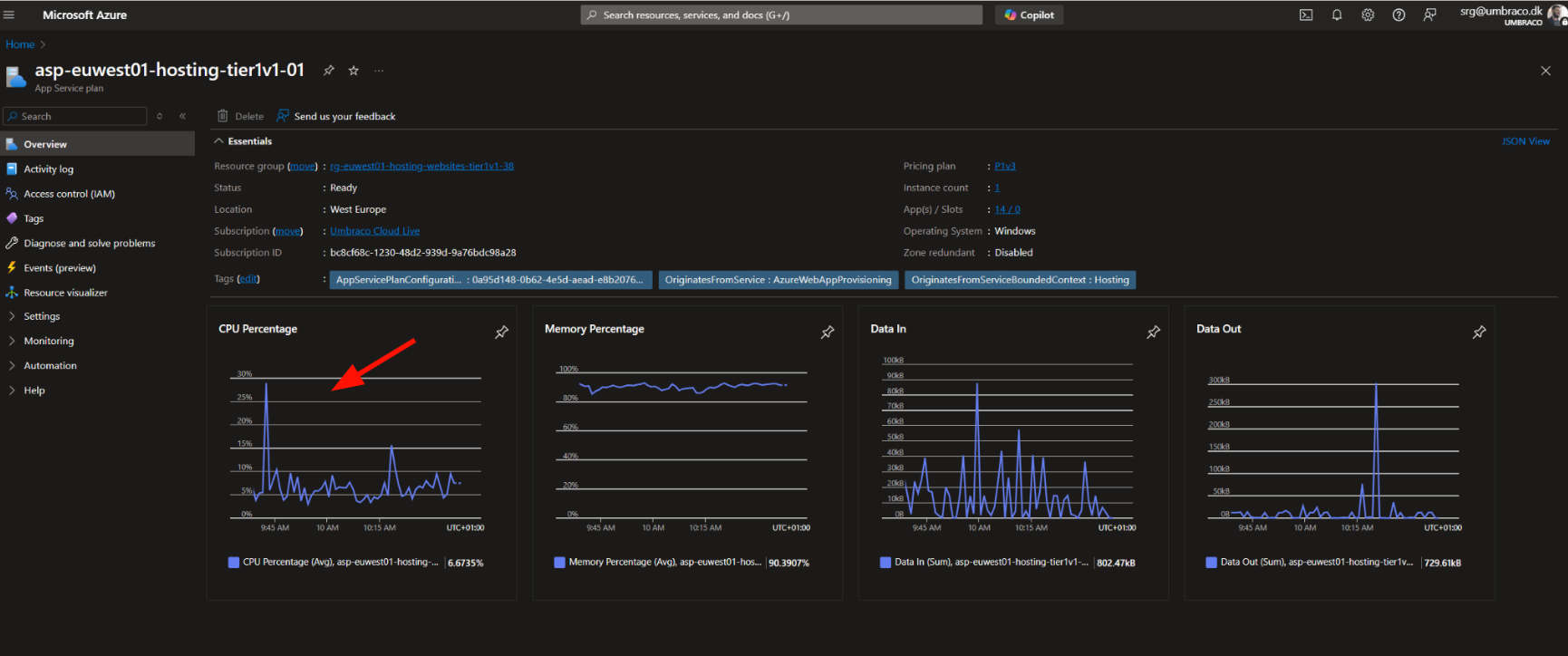
1. Click on App service plan

2. Click on the Name

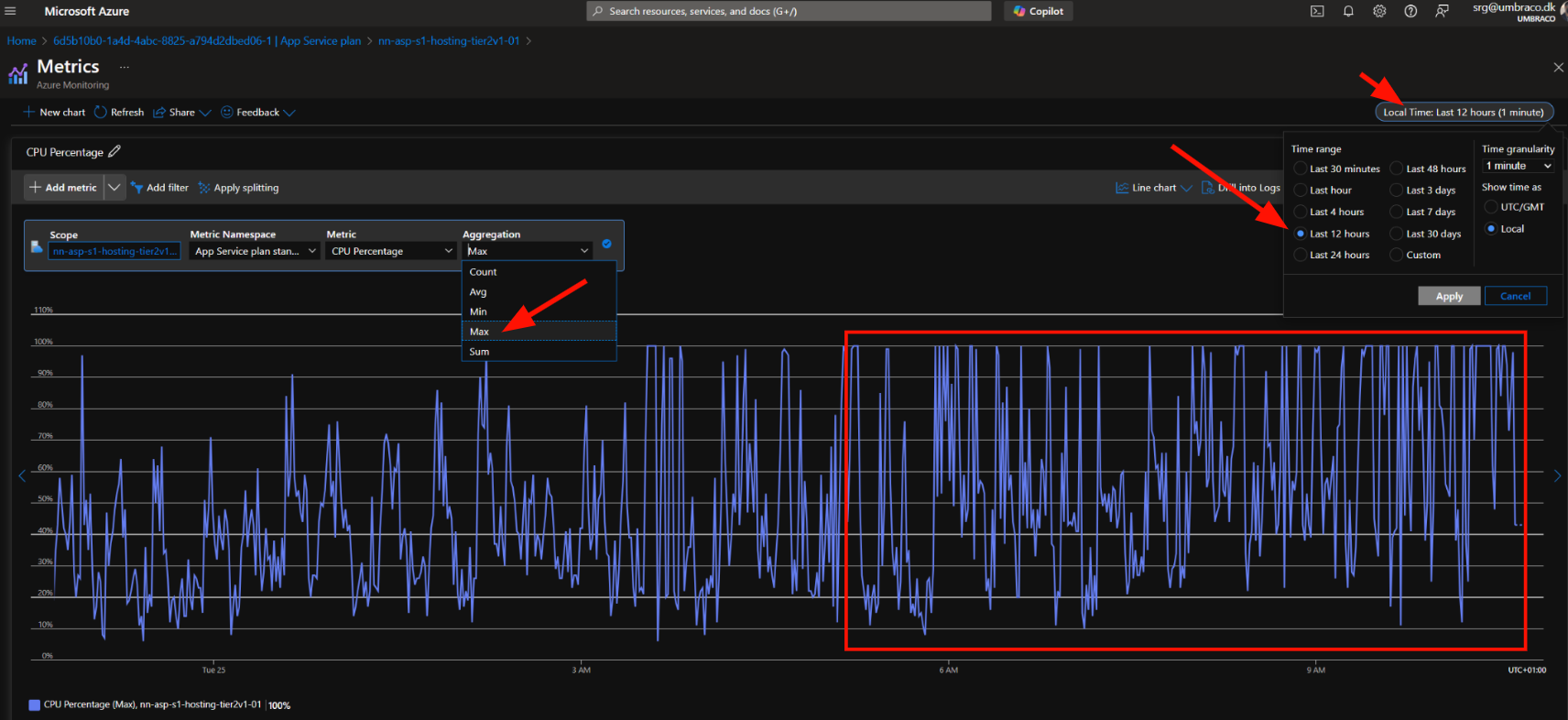
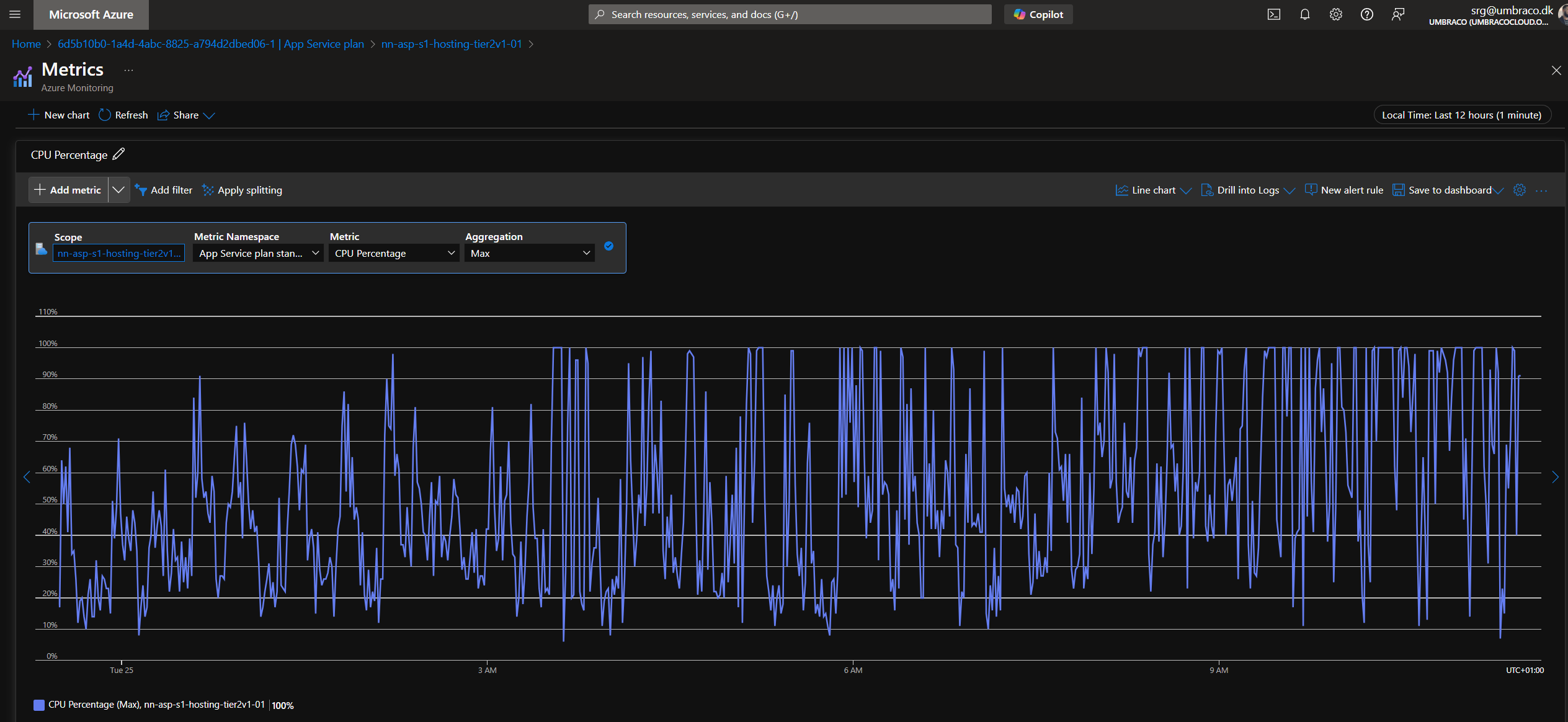
3. Click on CPU percentage

4.Make sure to select the Max of CPU Percentage and select the right time

This clearly shows that currently, there is very high usage on the app service plan. This means that all the web apps (environments) are affected and can experience slowness even downtime.


Let’s figure out who the noisy neighbor is.


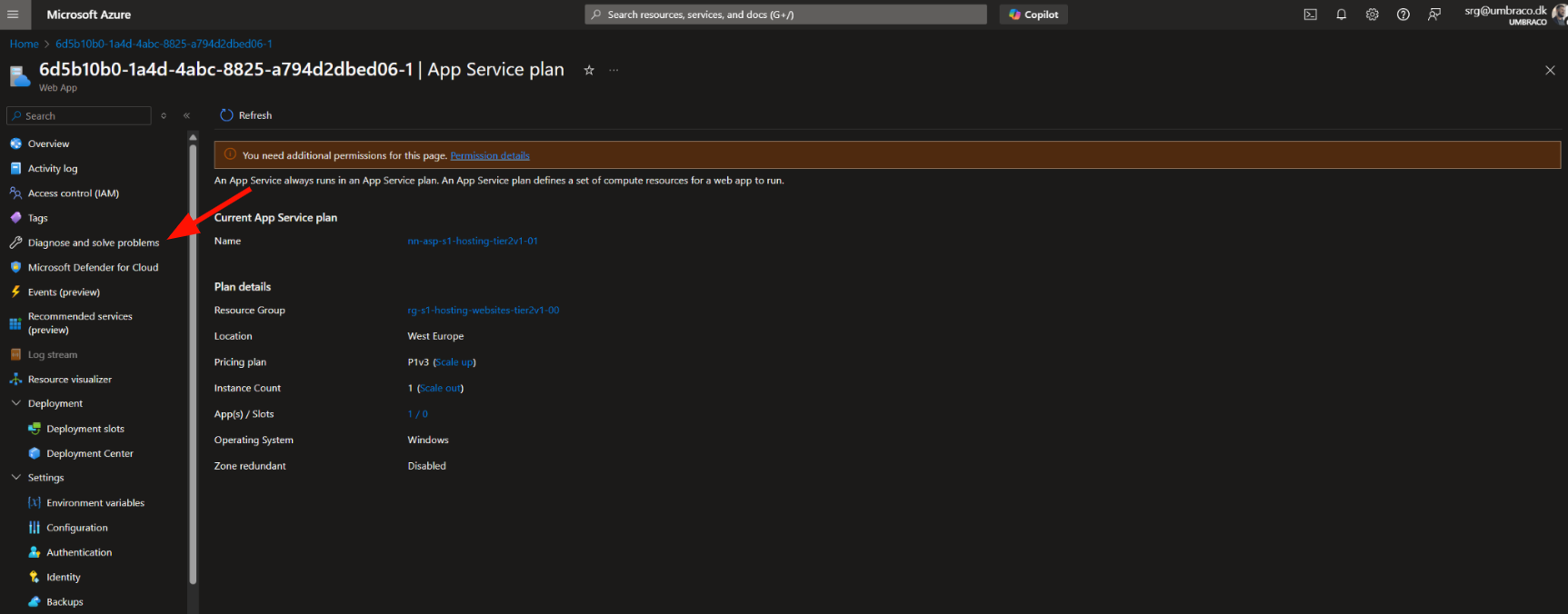
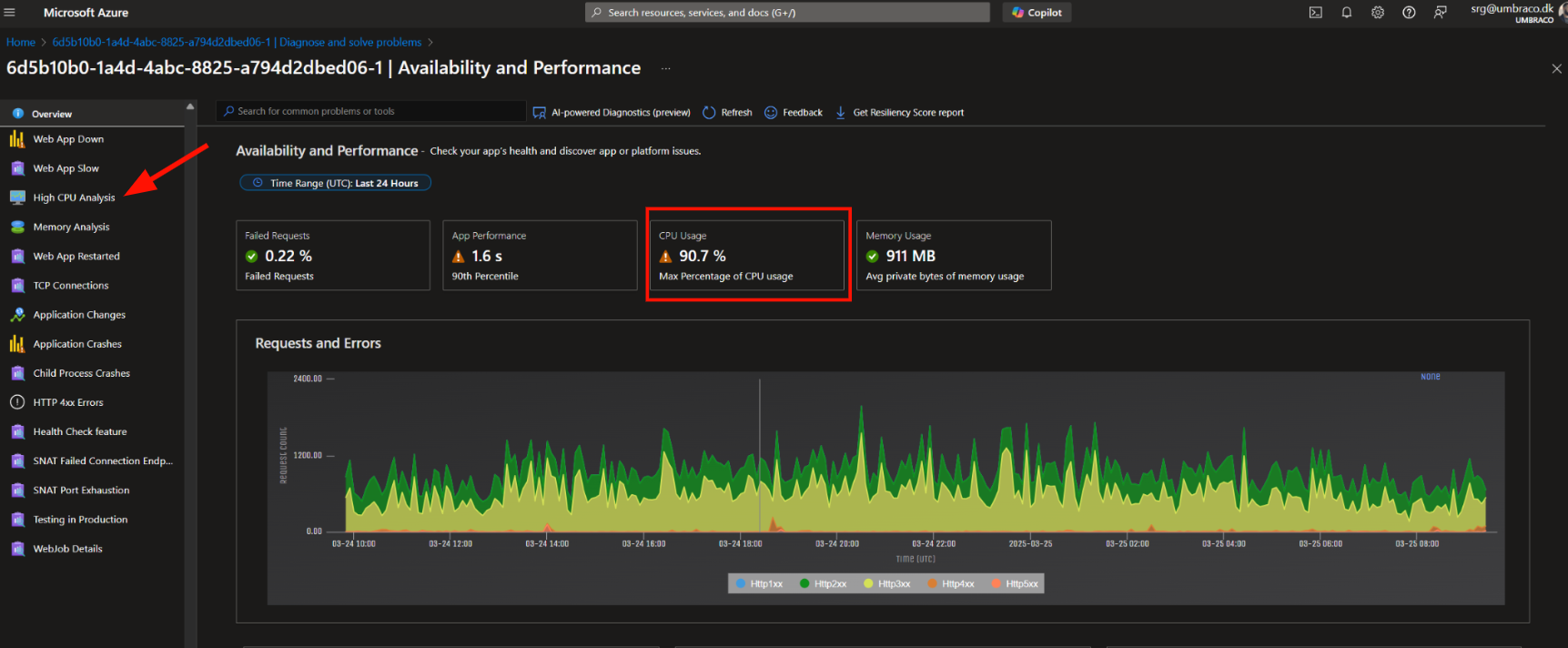
1. Go back on the web app (live environment in Azure) and click on Diagnose and solve problems

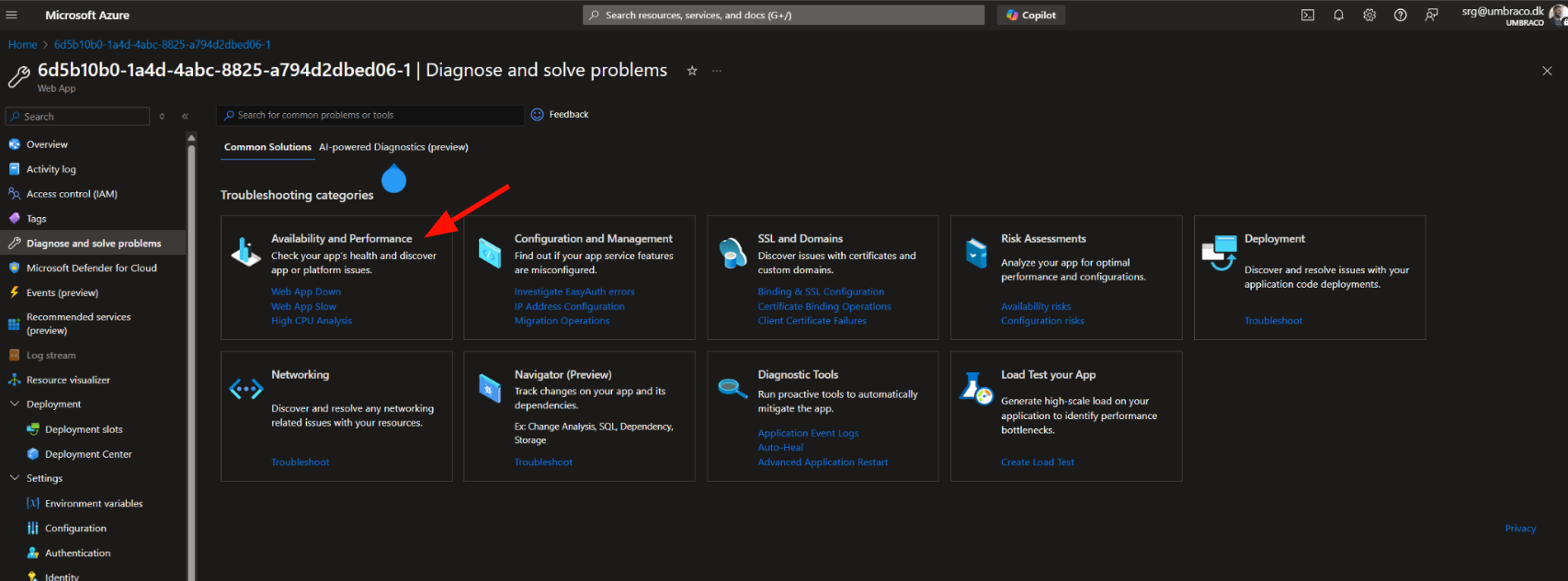
2. Choose Availability and Performance

3. Click on High CPU Analysis (we can already see the CPU usage is high)

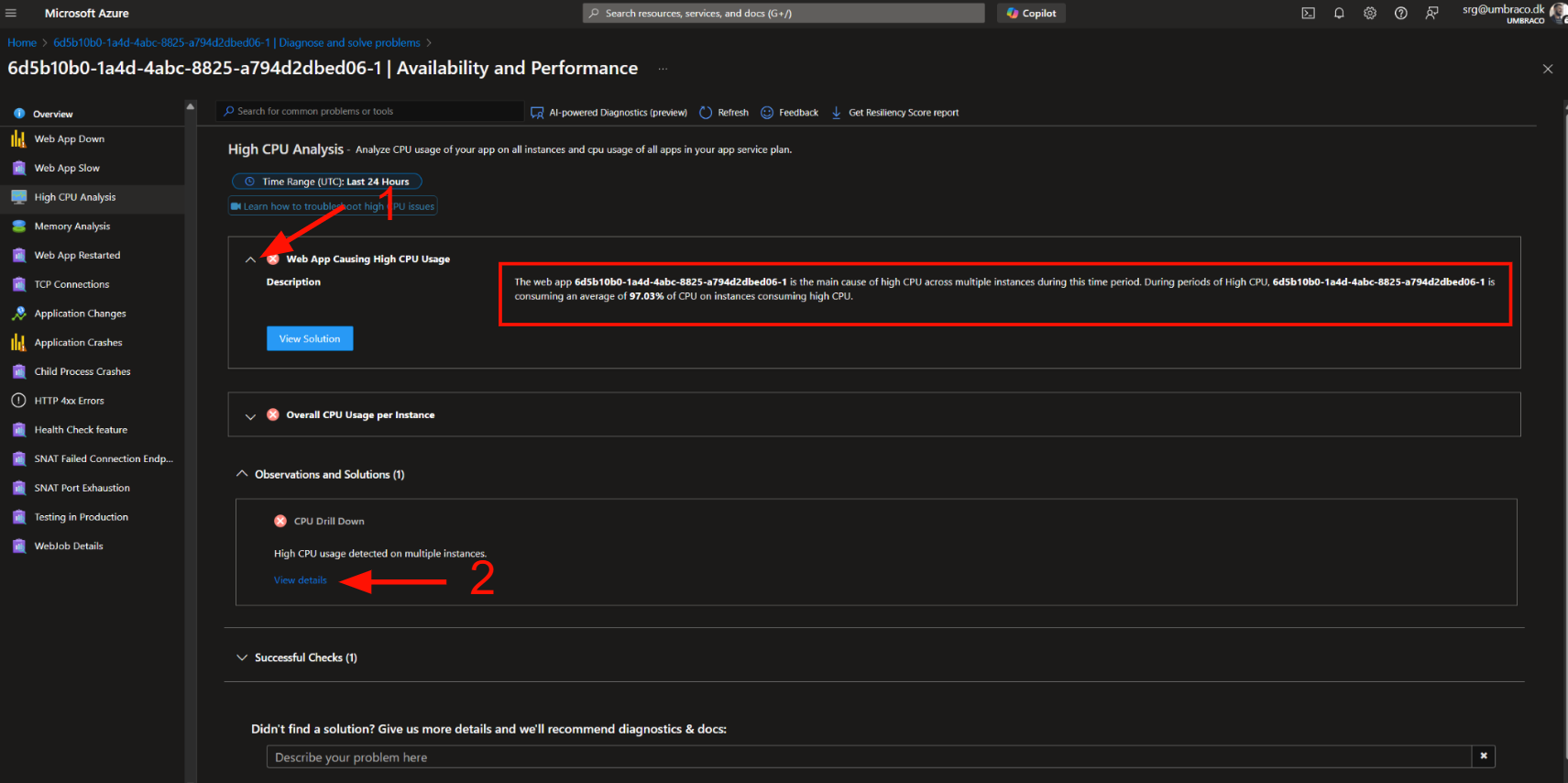
4.Click on the dropdown arrow under Web app causing high CPU usage and you’ll see the web app ID that is causing the resource exhaustion

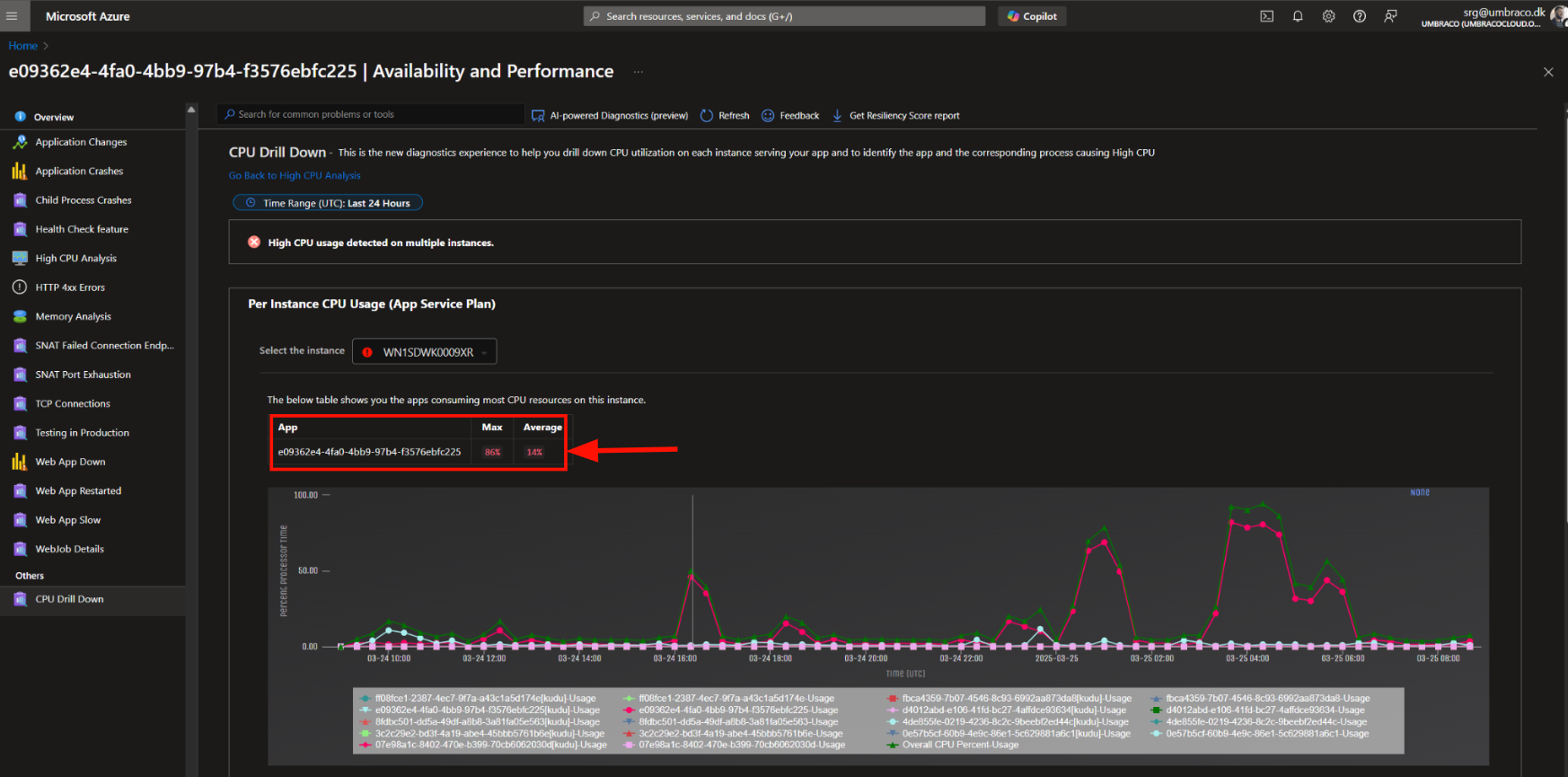
Next step will be getting an even clearer view by clicking on View details under the CPU Drill down

5. Here you’ll be able to see the ID of the web app using more resources as well - the graphs underneath will also show you a graphic representation of the usage but do not mind them.

Do note that sometimes you won’t be able to see the reported app that is using most of the CPU resources.

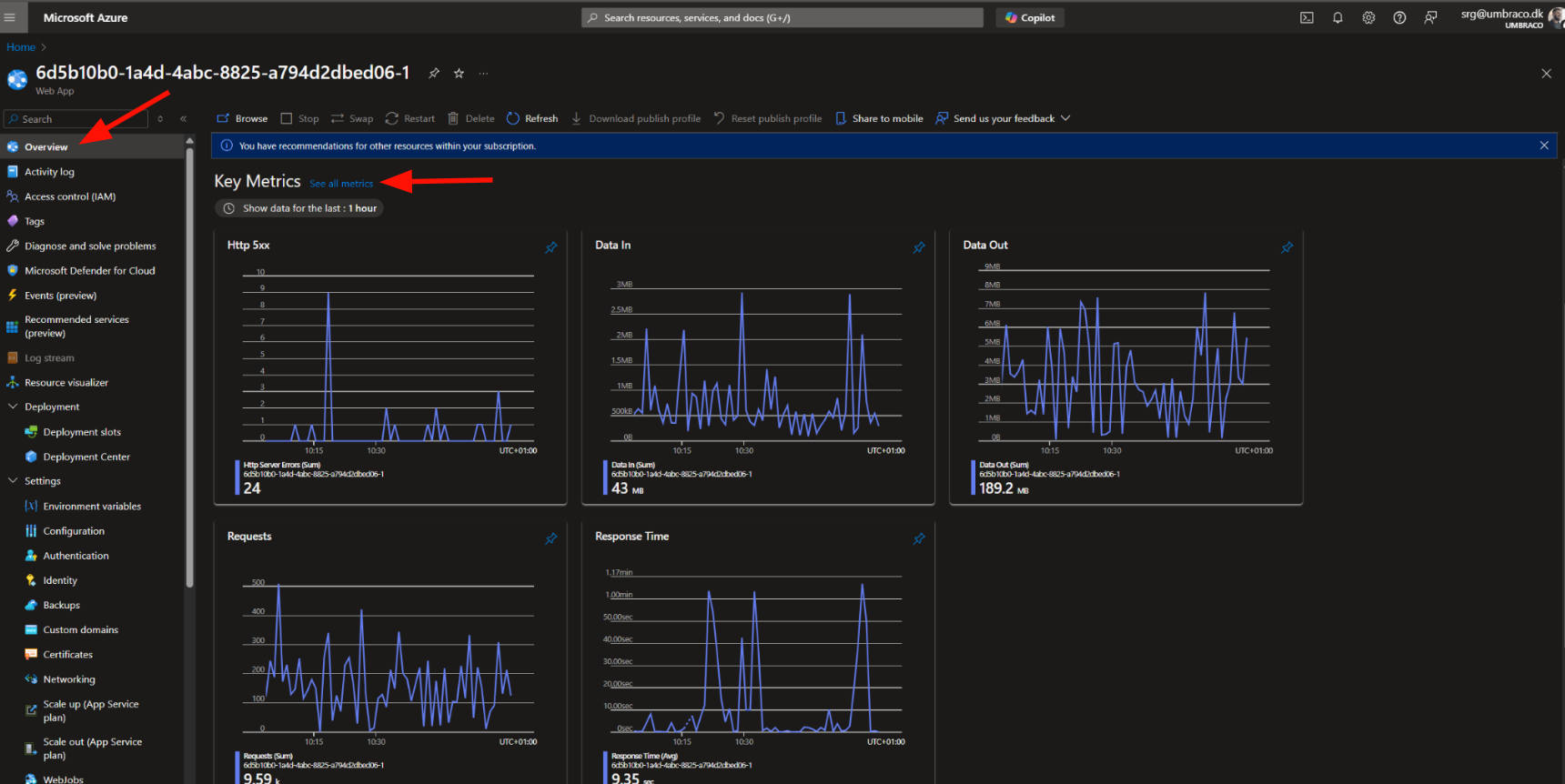
6. Let’s take it a step further and confirm this web app is using the CPU resources and compare it to the app service plan usage.

Go back to the web app itself, click on Overview, and See all metrics

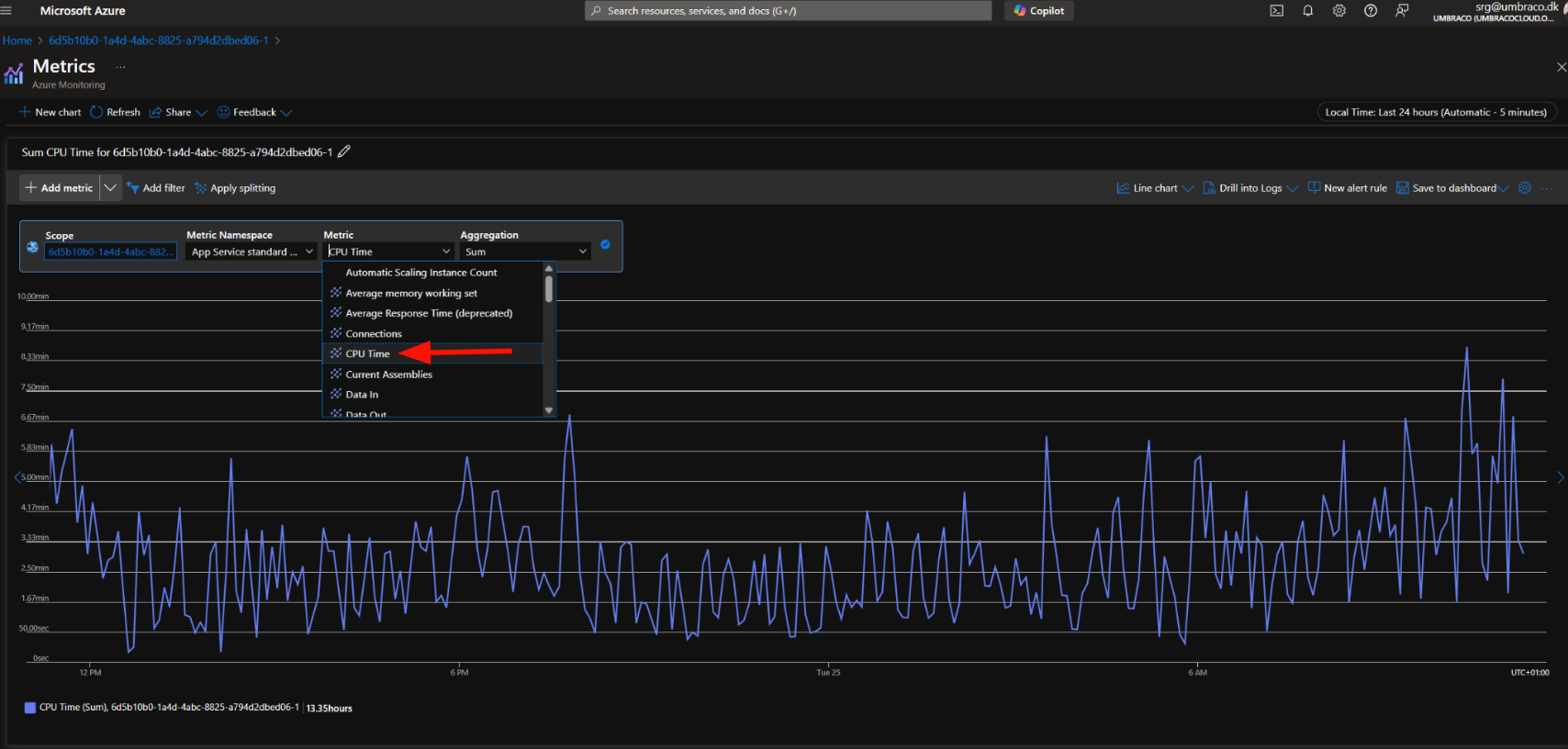
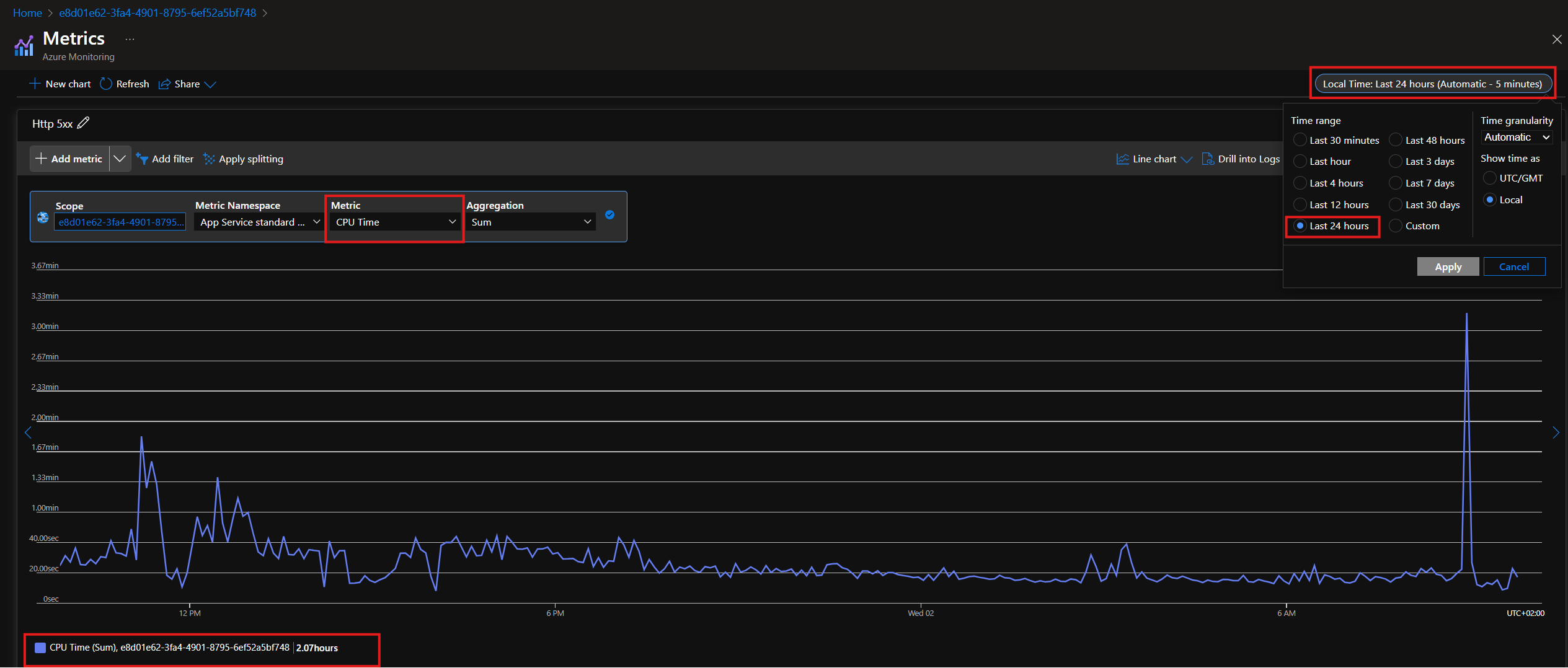
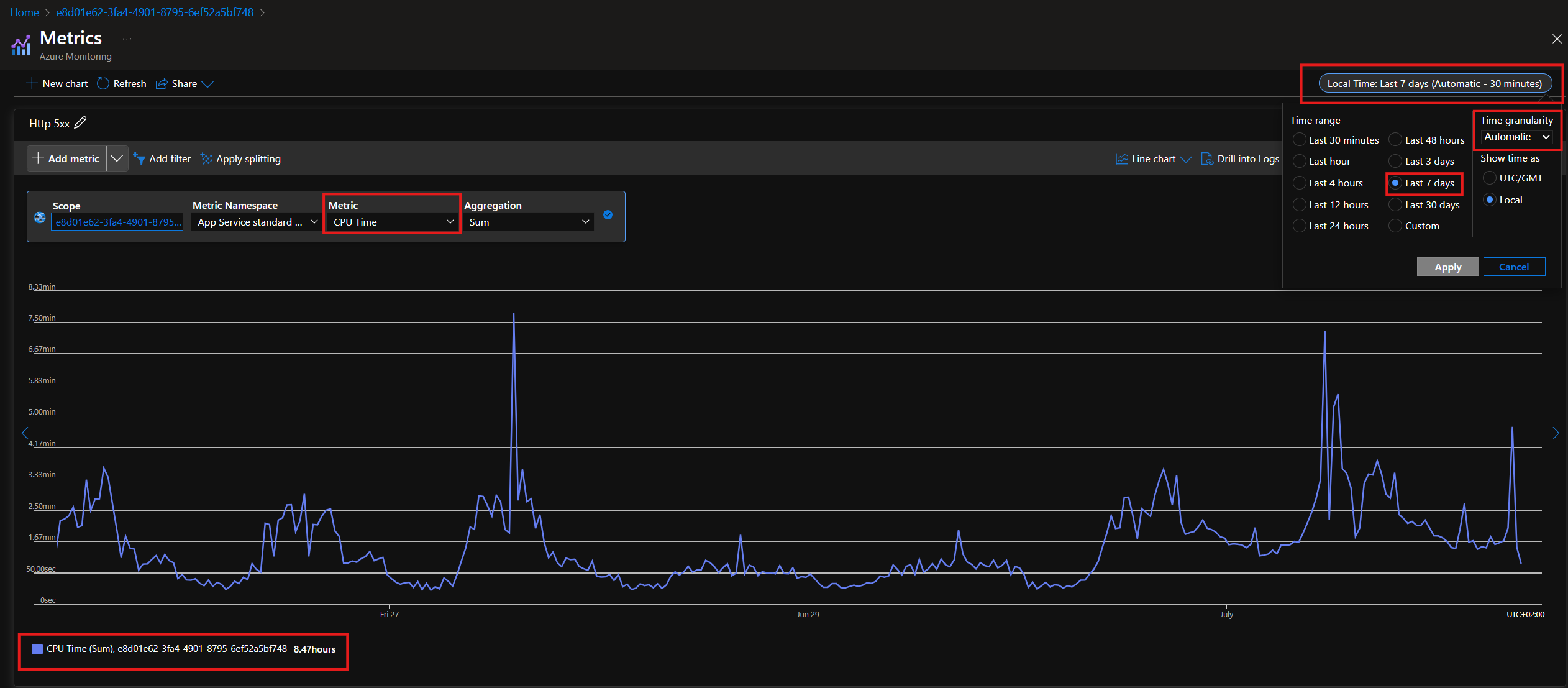
7. Next will be selecting the CPU time

In Azure Web Apps, CPU Time is the total time your app spends using the CPU to process requests. It’s measured in seconds and keeps adding up as your app runs.

Calculating this involves understanding that each plan is a bit different but overall if the web app uses more than the below it will be considered a noisy neighbor.

Breaking It Down in Minutes:

  • Starter Plan → 2 minutes of CPU time in 5 minutes → 20% CPU

  • Standard Plan → 3.5 minutes of CPU time in 5 minutes → 35% CPU

  • Professional Plan → 5 minutes of CPU time in 5 minutes → 50% CPU


8. Comparing it to the app service plan CPU Percentage we can clearly see that those average of 8 minutes on the Standard plan is clearly maxing out the resources on the entire app service plan 

Once you compared the graphs and determined there is a noisy neighbour it is time to find the environment that is causing this.

You'll then copy the Environment ID from Azure and search for it here: https://www.s1.umbraco.io/admin/support to indetify the project alias and the environment causing this.

Important

If the above persists it’s time to follow this article, you’ll probably need a super admin to help you with the move to dedicated https://cx-documentation-platform.euwest01.umbraco.io/support-internal-processes/noisy-neighbour/noisy-neighbour-handling/


Noisy Neighbour handling

Perpetrator

When a perpetrator is being noisy please do following:

  • Restart the app via ADMIN


If nothing above seems to do the trick then make them send this template and move them to a dedicated ressource.

Important

If it fails with moving the perpetrator then make BlackOps kill the app for 1 hour and turn the app on again.
This is a delicate matter so please tag BlackOps in the # pe-support channel and make sure to notify this is urgent.

If the perpetrator needs to be moved to dedicated, then do the following:

Move NN to dedicated resources

Before we move to dedicated


  • Gather data for all previous days where the NN has affected the plan.

  • Restart the app, we need to make sure it’s not using all ressources before.

  • Send the template email via Intercom (Ticket) to technical details right after you press move to dedicated

    • Email needs to include:

      • All graphs from azure

      • Technical contacts

      • CC: Prathees, Mikulas, Halldór

      • BCC: Accounts - remember to write them on slack on ask-fishtank as well to not invoice the project for 1 week

  • Make calendar notification for 1 week for post check-up

Important

22 May update on this:

The move to dedicated button doesn’t work at the moment so we cannot move a project to dedicated for free. This will be fixed eventually, but for now, the only option will be to reach out to #support-umbraco-cloud or use the normal flow and refund.


Please refer to: slack 

While project is getting moved

Monitor the project for 30 minutes.

  • If it works, then you’re done from here, continue to “Post checkup

  • If it doesn’t work:

    • Escalate it to HM ticket as urgent, ping everyone from BlackOps

    • Let swat-support know you are expecting a ticket from NN.

  • Add to NN sheet that project was moved to dedicated SHEET LINK

Post Checkup (1 week after)

  • Find out if they need to charge or not, let fishtank know of that outcome.

  • Should they be moved back or not

  • Are they still on dedicated

Post Checkup depends on how much we’re in charge of, talk to Prathees about this

Potential Noisy Neighbour - Send request to SRE macro

As part of our efforts to handle noisy neighbors, there will be times when we’ll have to move a perpetrator to a different plan to ensure the reliability and stability of other environments.

To do so a macro called Potential Noisy Neighbour - Send request to SRE has been created.

This macro, once filled out, will make sure to get added to our tracking excel sheet for the SRE team to see.

The macro will require certain information, and this will be a guide on how to fill out the macro.

Most fileds are self explanatory, but there are some that will require a bit of navigating through Azure dashboard therefore,here’s a guide.

Alias + Hostname
Add the alias of the noisy neighbour and the hostname.
You can find this on the project's hosting page:
https://www.s1.umbraco.io/projectsupport/{project-alias}/hosting


Start Date/Time
Format: [MM-DD-YYYY]
The date and time when the project started behaving like a noisy neighbour.

CPU Usage
How much CPU the project is currently using.

Allowed CPU Usage:
The maximum CPU usage allowed for the project.
Check the official plan limits here:
https://docs.umbraco.com/umbraco-cloud/explore-umbraco-cloud-1/readme/umbraco-cloud-plan 

Memory Usage
The amount of memory the project is currently using.

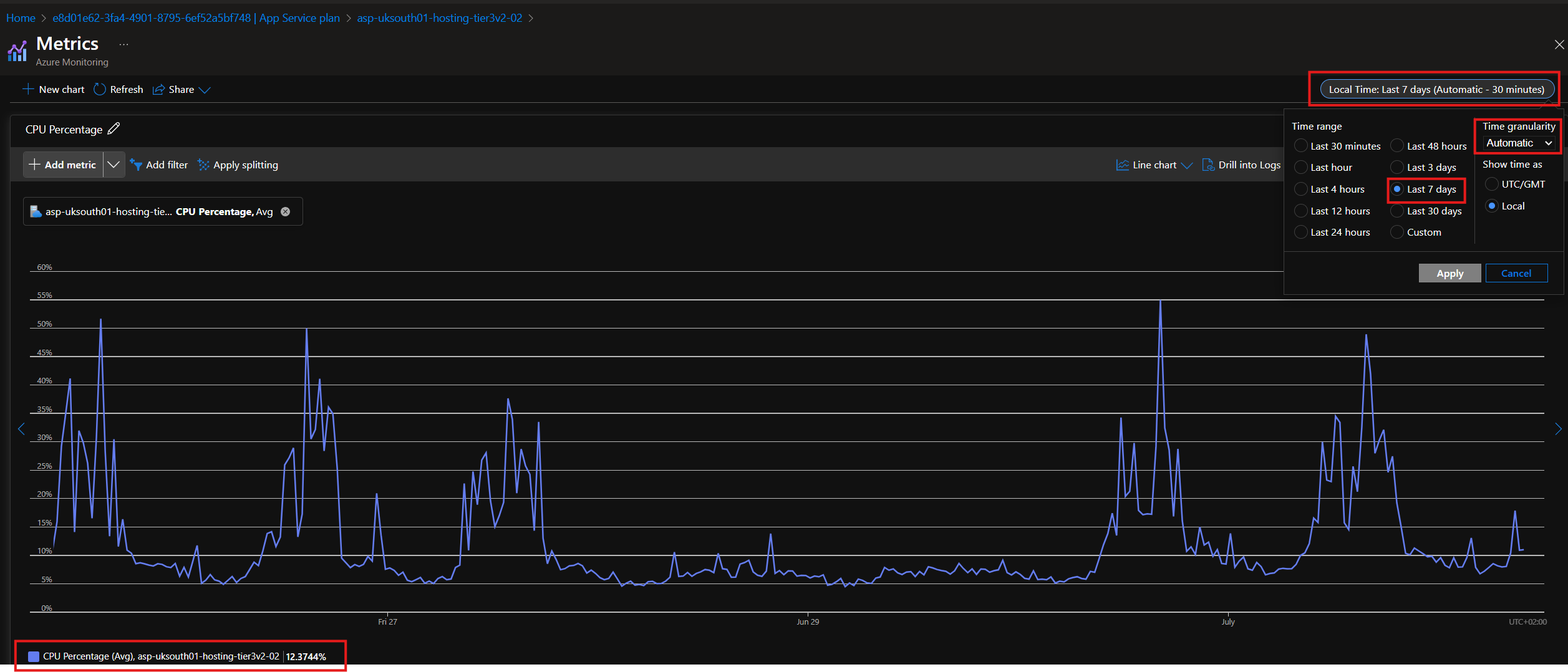
CPU usage of App Service Plan Last 7 days:​

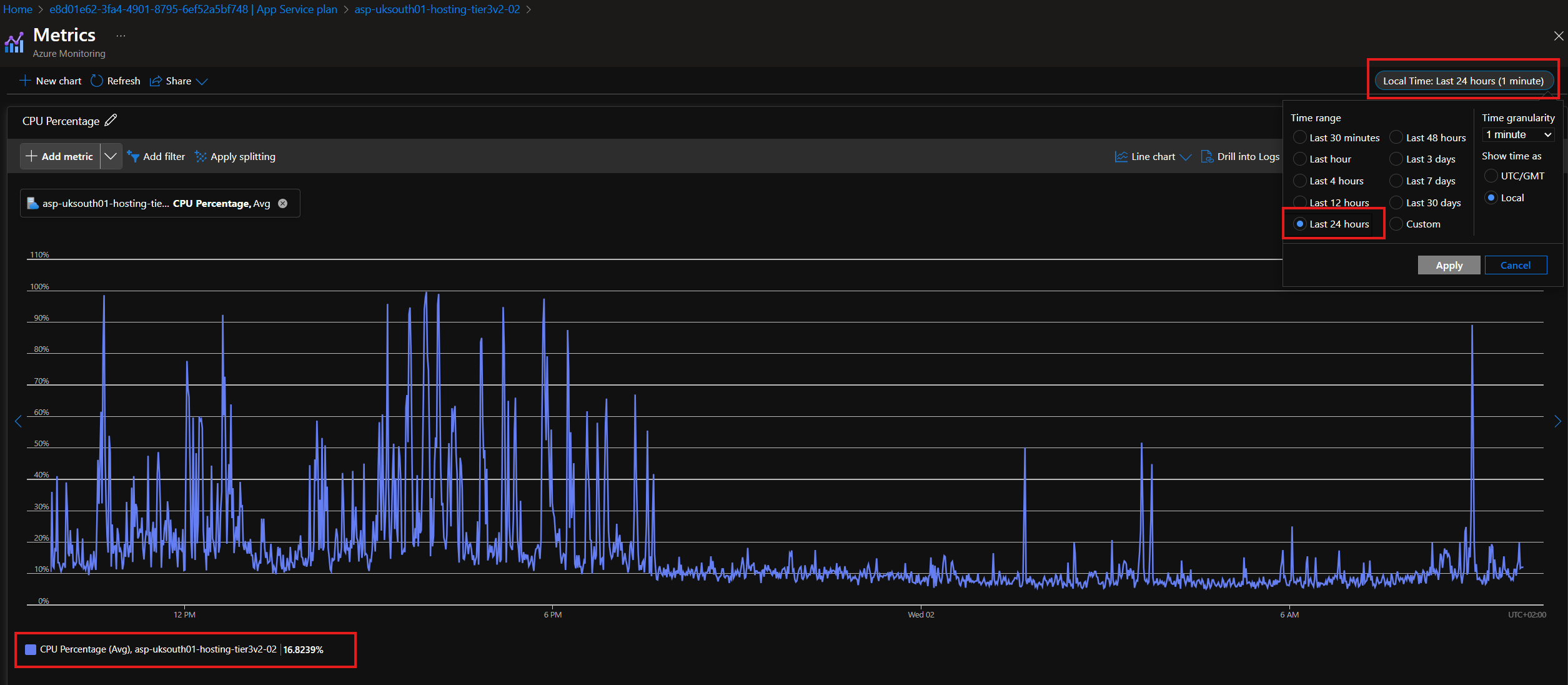
CPU usage of the App Service Plan over the last 24 hours:​

CPU usage of the project last 24 hours:​

CPU usage of the project last 7 days:​

Recipient's Email
The email address of the technical contact or the creator of the project.

Alias
The alias of the project (same as used previously).

Recipient’s First Name
The first name of the technical contact who will receive the email.
If available, this is optional but helpful.